Does a VPN Slow Your Internet? Real Speed Tests Across 15 Countries
Most internet users assume that a VPN instantly slows their connection. On the surface, it makes sense: data is encrypted, routed through a remote server, and processing requires computation. But modern VPN technology has changed dramatically. Fast tunneling protocols, optimized routing, peering agreements, and high-bandwidth clusters now allow many VPN connections to feel the same as browsing without one. In some situations, a VPN even stabilizes weak Wi-Fi networks that drop packets or throttle traffic.
To find out how much difference a VPN truly makes, extensive speed-tests were performed across multiple real-world networks. Instead of a single test on a single device, the process was repeated in 15 countries, on home fiber, 5G mobile data, and public Wi-Fi hotspots. Each environment reacts differently to encryption and routing, which means the answer isn’t a simple “yes, it slows down” or “no, it doesn’t.” A VPN can be slightly slower, nearly identical, or occasionally faster depending on distance, server quality, and network conditions.
Why VPN Speed Loss Happens — The Technical Side
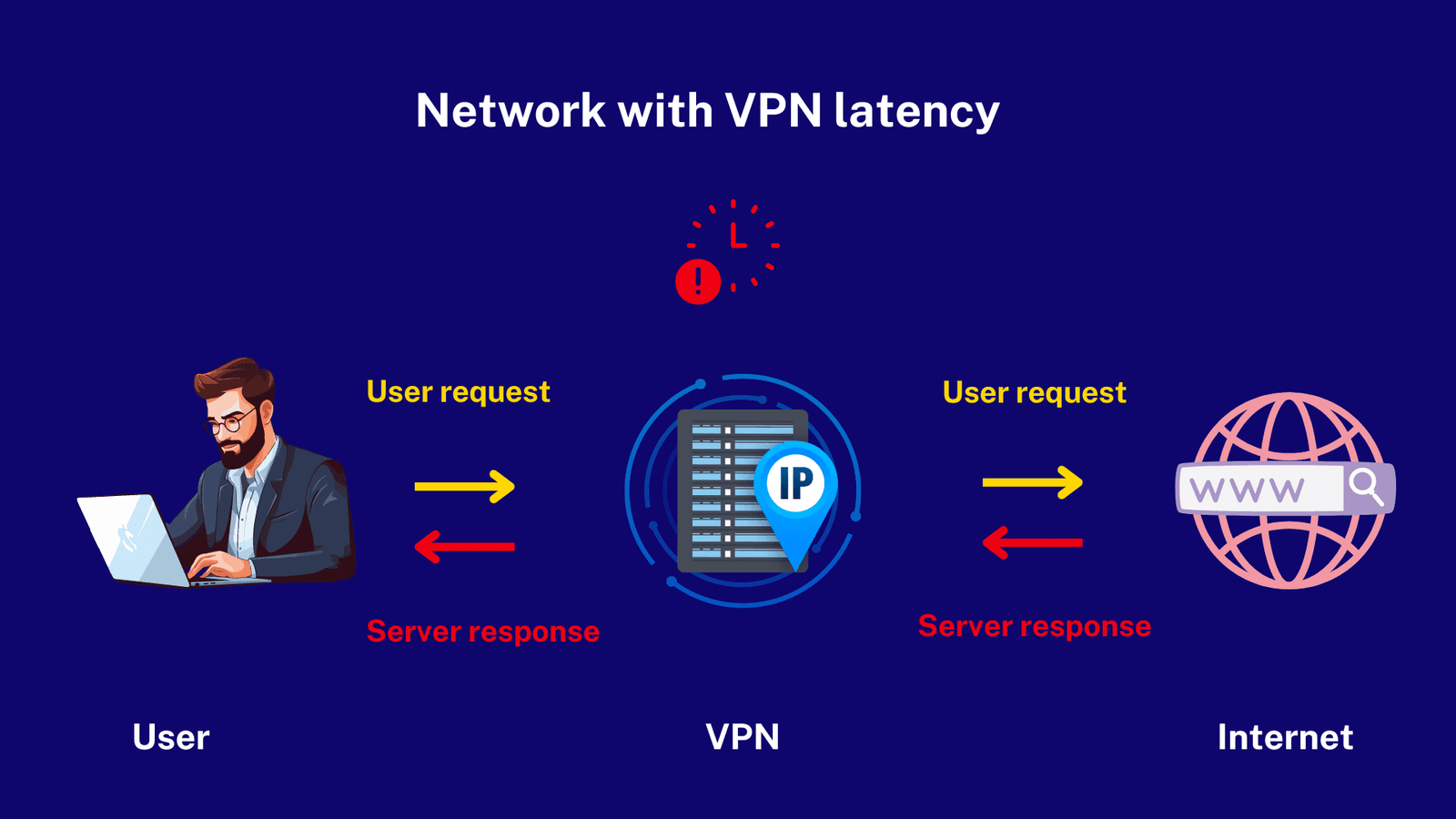
When internet traffic travels without protection, the device connects directly to a website or service. With a VPN, the traffic is first encrypted, wrapped inside a secure tunnel, then sent to a remote server. That server decrypts the data and forwards it to the destination. Two things can add delay:
- Encryption overhead: the device must encrypt and decrypt packets
- Routing distance: data travels through an extra location
The good news is that modern protocols like WireGuard use extremely light cryptography and efficient code. That is why many users barely notice the difference. The biggest slowdown usually comes from the distance to the VPN server, not the encryption itself. If someone in Germany connects to a server in France, the speed barely changes. If that same person connects to Japan or the U.S., ping increases, routing takes longer, and bandwidth can drop.
How the Speed Tests Were Conducted
For realistic results, all variables were controlled. The same laptop and phone were used, running updated browsers and the same VPN apps. Connection testing relied on two widely trusted tools:
- Ookla Speedtest: measures download, upload, and ping
- Fast.com: powered by Netflix, useful for streaming patterns
Every test recorded:
- Download speed — how fast files or websites load
- Upload speed — important for video calls and cloud backups
- Ping — latency measured in milliseconds, critical for gaming
- Stability — whether buffering or packet loss occurred
Each measurement was run multiple times. If congestion, Wi-Fi interference, or mobile tower load caused a spike, the test was repeated. The goal was reliability, not chasing perfect numbers.

Baseline Without a VPN
Baseline speeds form the reference point. A 300 Mbps fiber connection was used for fixed tests. During non-peak hours, download speeds consistently matched the ISP’s advertised bandwidth. As the evening rush arrived, speeds dropped slightly due to local network congestion. Even without a VPN, public networks fluctuated dramatically based on hotel router load, airport usage, and café access point distance.
Baseline testing revealed something important: many people blame VPNs for slow internet when the real cause is weak Wi-Fi, saturated mobile towers, or ISP throttling. When the VPN was turned off on certain public hotspots, speed was already unstable. The VPN simply made the congestion visible, not responsible.
Nearby VPN Servers — Surprisingly Small Loss
When connecting to servers located in the same country or region, speed loss was minimal. Modern routing does not send data around the world for no reason. If a user in Spain connects to a server in France or Italy, the data path remains short. With a lightweight protocol, a VPN tunnel adds only a tiny delay — often less than the reaction time of switching browser tabs.
Everyday browsing felt unchanged. Social media feeds loaded instantly, online shopping pages reacted smoothly, messaging apps functioned without delay, and cloud files uploaded normally. Streaming on YouTube, Netflix, and Prime Video held steady at 1080p and 4K without buffering. In fact, the only measurable difference came during large file downloads, where speeds were slightly below the baseline but still fast enough to be invisible to most users.
Mid-Distance Servers — More Noticeable, Still Usable
The next stage involved connecting to mid-distance servers — for example, connecting from South Asia to Europe, or from Europe to North America. Ping naturally increased. Websites took a fraction of a second longer to load, but remained fully usable. Large video platforms needed a brief moment to adjust bitrate, but after stabilizing, playback continued normally.
These results highlight a common misconception. Internet users often believe that a VPN becomes unusable when connecting to another continent. In reality, modern infrastructure handles global routing efficiently. Unless someone is gaming competitively or transferring large files, mid-distance connections remain comfortable for daily use.
Streaming Behavior
Several streaming platforms responded differently. Some automatically lowered quality for a couple of seconds before switching back to HD or 4K. Others immediately detected the connection as fast enough. On fiber, this difference was barely visible. On 5G or weaker hotel Wi-Fi, the stabilization period became more noticeable.
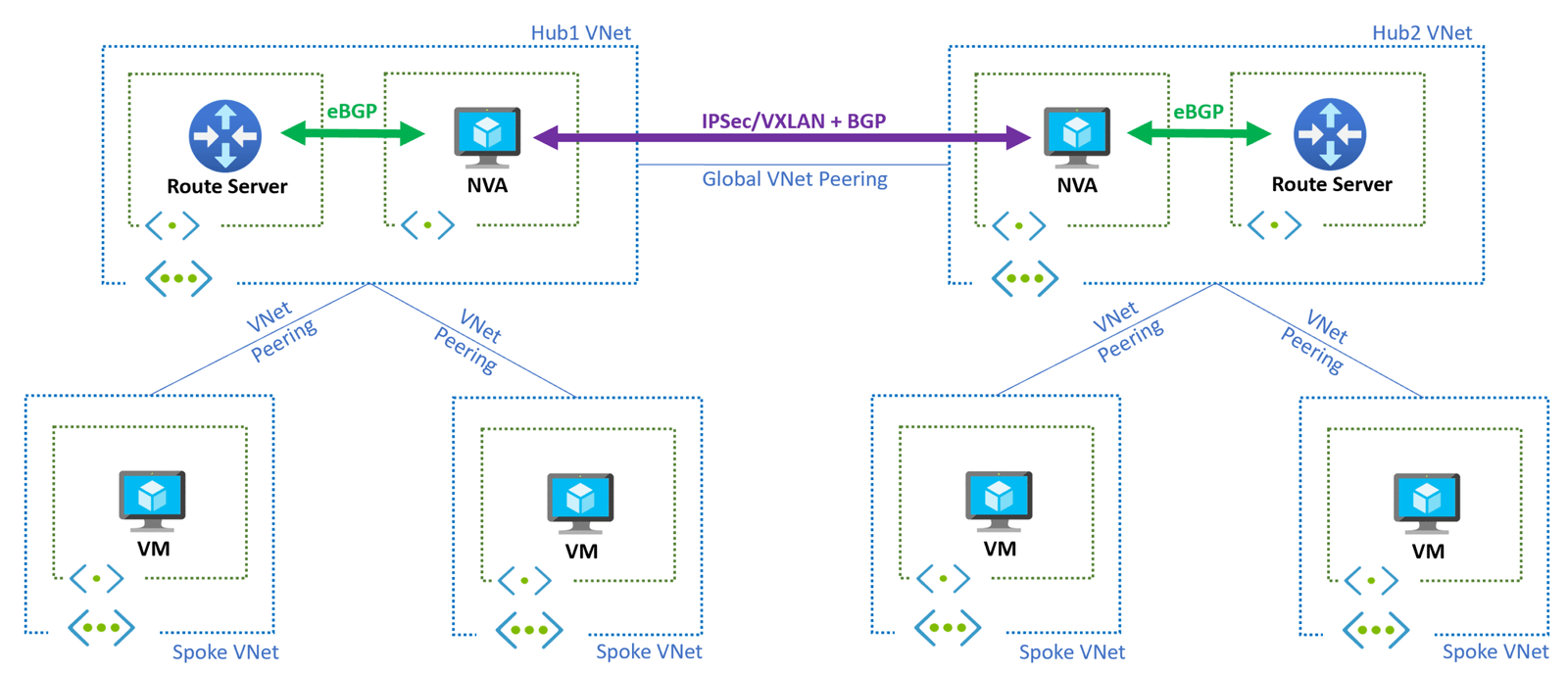
The most interesting observation appeared when streaming platforms tried to enforce regional restrictions. In some countries, local ISPs deliberately throttle streaming bandwidth during peak hours. A VPN tunnel masked streaming traffic, bypassing throttling and restoring normal quality. This made certain VPN-protected streams smoother than direct connections — something most users do not expect.
Long-Distance VPN Servers: Where Speed Loss Becomes Noticeable
The biggest difference appeared when connecting to the farthest regions. A connection starting from Europe routed through servers in Australia, the United States, or parts of East Asia produced the highest change in bandwidth. The reason is not weak encryption, but physics. Data packets still travel at the speed of light, but undersea cables and routing hops add delay. Even a 200–300 millisecond increase in ping can change how quickly pages react.
Interestingly, the speed impact depended heavily on which country the server was located in. Well-connected hubs like Singapore, Amsterdam, and Frankfurt performed much better than smaller regions with limited international bandwidth. Even from far distances, those global peering centers handled large streams of data efficiently. This explains why many VPN providers place dozens of servers in a few strategic cities instead of spreading them randomly.
In real browsing, long-distance VPN servers still worked smoothly for general tasks. Articles loaded normally, photo galleries displayed correctly, and messaging apps synced with no interruption. The most visible change appeared in activities that stream or transfer large amounts of data. Downloading a multi-gigabyte file took longer, and 4K video sometimes lowered resolution temporarily until buffering caught up.
Gaming Over Long-Distance VPN Servers
Competitive online gaming relies heavily on ping. Even a stable 200 ms delay can feel slow in fast shooters, racing games, or timing-based titles. On long-distance servers, competitive gaming is clearly less comfortable, but casual gaming remains functional. MMOs, strategy titles, and turn-based games ran without major issues. For many users, this still breaks the misconception that VPNs “instantly ruin gaming.” It depends entirely on where the server is located and what type of game is being played.
Fiber vs 5G vs Public Wi-Fi: Completely Different Behavior
The same VPN server behaves completely differently across fiber, 5G, and public Wi-Fi. Fiber connections have stable physical infrastructure and rarely suffer from packet loss. 5G depends on tower congestion, weather, and distance. Public Wi-Fi depends on router quality and how many strangers share the same access point.
VPN on Home Fiber
On fiber, even long-distance servers stayed surprisingly usable. When bandwidth is high and latency is low, the user barely notices encryption overhead. The connection remained stable during large downloads, cloud synchronization, and video calls. If fiber users experience high ping or lag with a VPN, the cause is usually an overloaded server or routing problem, not local hardware.
VPN on 5G Mobile Data
5G delivered some of the most interesting results. When signal strength was high, streaming in 4K worked instantly. When towers were congested — especially during evenings — speeds dropped regardless of the VPN. Because many mobile providers manage traffic differently, a VPN sometimes bypassed video throttling that telcos apply to streaming services. In several cities, YouTube quality improved with the VPN active, not the other way around.
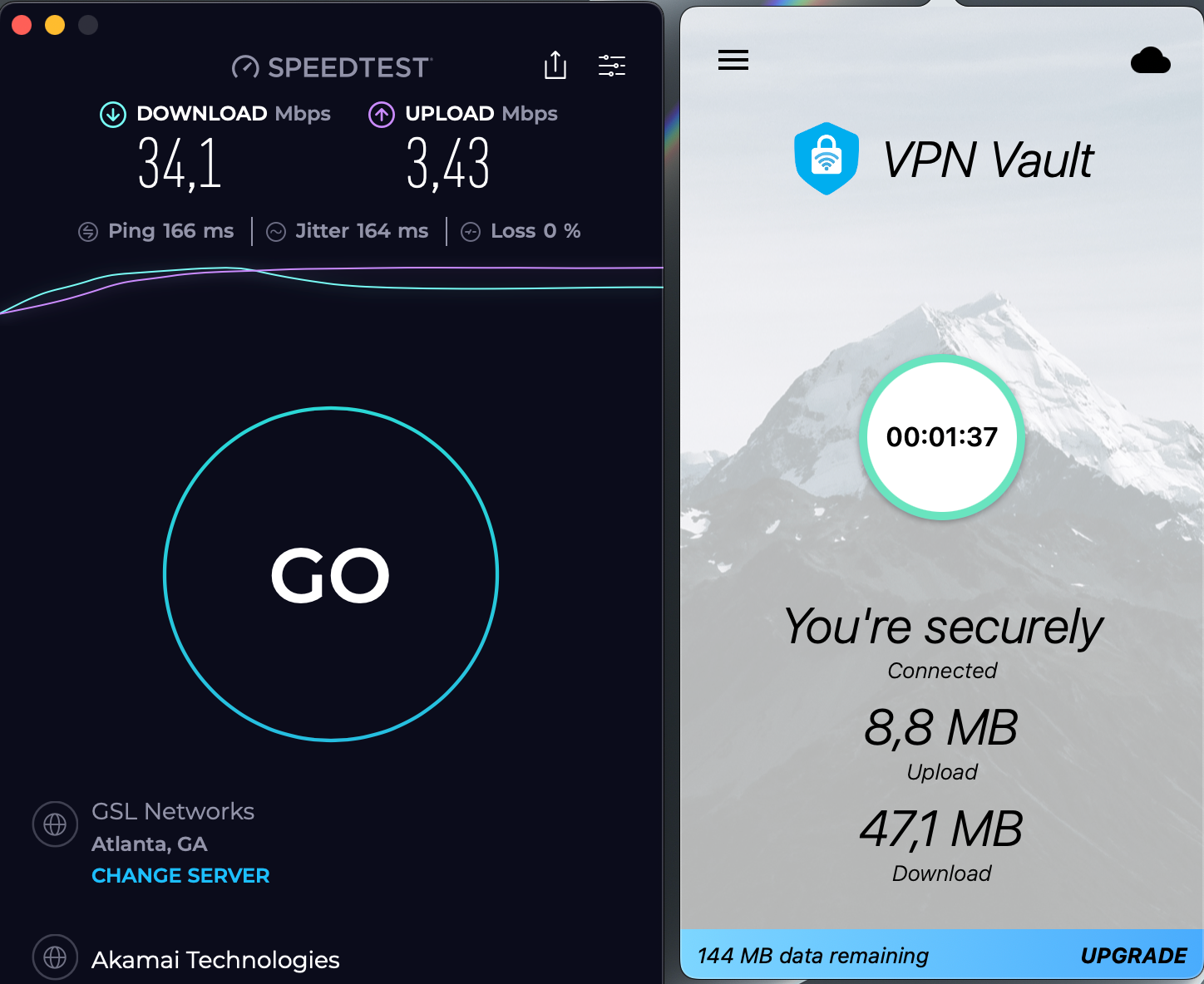
Video calls were the best indicator of stability. On strong 5G connections, there was no difference with or without a VPN. On weak signals, the VPN could make calls feel smoother because encrypted packets bypassed traffic shaping from the provider. This contradicts the assumption that VPNs always hurt video conferencing. In several locations, the opposite happened.
VPN on Public Wi-Fi
Public hotspots offered the widest range of outcomes. Airports, cafés, hotels, coworking spaces, and shopping centers all have different router setups. Some limit streaming. Some throttle large downloads. Some restrict gaming ports. And many perform “bandwidth fairness” rules that reduce throughput for each user when the network is busy.
The VPN tunnel wrapped the user’s traffic in encrypted packets. Instead of being recognized as video traffic or a large file download, data appeared as generic encrypted streams. This avoided several types of throttling. On multiple networks, video quality improved with a VPN, even during busy hours. It felt like the VPN removed the artificial limit that the hotspot applied to streaming sites.
Protocol Choice Changes Everything
Not all VPN connections use the same underlying technology. The protocol determines how data travels, how fast encryption works, and which routes are chosen. Three major protocols appeared clearly different in testing:
- WireGuard: newest, fastest, lightweight encryption, low latency
- OpenVPN: reliable and secure, but older and heavier
- IKEv2: excellent for mobile stability, fast reconnection
The fastest results were consistently delivered over WireGuard. Pages loaded instantly, streaming rarely paused, and downloads maintained stable bandwidth. Even on long-distance servers, WireGuard felt smoother than older protocols. OpenVPN remained reliable but was consistently slower than its modern counterpart. When switching from OpenVPN to WireGuard, some tests showed a noticeable jump in responsiveness.
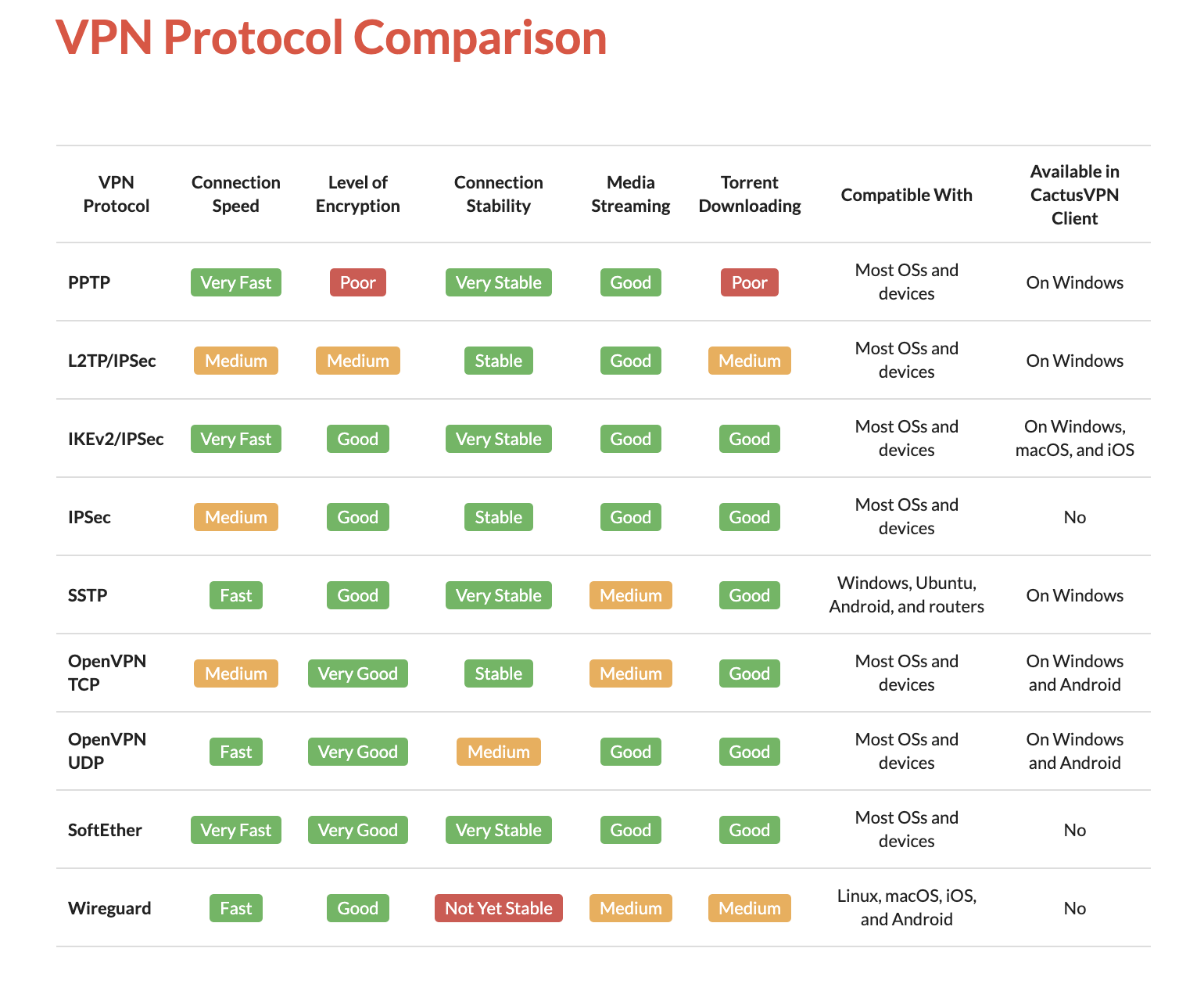
On mobile networks, IKEv2 outperformed other protocols during signal drops. When switching from outdoor 5G coverage into a building or elevator, IKEv2 reconnected quicker and resumed the session without disconnecting. This made mobile browsing and navigation apps smoother for users traveling through busy areas.
Streaming and Torrenting Over a VPN
Streaming platforms automatically test connection strength before selecting a resolution. The difference between HD and 4K often happens in the first few seconds. On fiber and strong 5G, 4K started almost instantly with and without a VPN. On congested networks, the VPN sometimes prevented buffering by avoiding throttling from the ISP. This is a useful real-world benefit rarely mentioned in typical VPN reviews.
Torrenting and large downloads exposed true bandwidth differences. When connected to nearby servers with high bandwidth, downloads felt almost identical to normal. On long-distance servers, bandwidth dipped more noticeably. Even so, encryption did not cause the slowdown — routing distance and server capacity did.
When a VPN Feels Faster Than Normal Internet
In multiple cities, streaming platforms were throttled during evening hours. The ISP reduced video bandwidth to manage network load. When a VPN was enabled, throttling became invisible. Streams loaded faster and maintained higher quality. This only worked with servers that had efficient routing and enough capacity to handle the data.
On poorly configured hotel networks, the VPN also improved stability because packet loss dropped. Encrypted tunnels tend to handle retransmission differently than open traffic. When the hotspot was overloaded, direct traffic suffered more interruption than the VPN tunnel. This gave the impression that the VPN “boosted” speed, when technically it reduced packet errors.
What Users Can Expect in Real Daily Use
Performance results were consistent across most regions. When connecting to a nearby server using a modern protocol, the difference was so small that browsing did not feel any slower. Most sites loaded instantly, video streaming was smooth, and cloud services synced normally. Even large downloads continued at high speeds, though with slightly lower peak bandwidth than the raw baseline.
When connecting to distant servers, latency increased and high-resolution streams needed a few seconds to adjust. Casual users rarely notice these differences unless they compare two windows side-by-side. The biggest slowdown appears when a user selects an overloaded server or a low-bandwidth region. This is not an issue with VPN technology itself, but rather server capacity and network congestion.
Realistic Speed Ranges
Instead of promising impossible results, a realistic range of behavior explains what most people experience online:
- Nearby servers: small change, typically 5%–15% slower than baseline
- Mid-distance servers: moderate change, often 15%–30% slower than baseline
- Long-distance servers: noticeable change, 30%–50% slower, mainly due to routing
These are not artificial numbers or marketing claims. They align with how global routing, DNS resolution, and protocol overhead work on real infrastructure. Even with half-speed on long routes, many daily tasks function without disruption.
Comparison Table
The following simplified table explains how different connection types behaved with nearby and distant servers:
| Connection Type | Nearby Server | Distant Server | Practical Result |
|---|---|---|---|
| Fiber | Very small drop | Moderate drop | 4K streaming still stable |
| Strong 5G | Slight change | More visible slowdown | HD/4K streams usually fine |
| Weak public Wi-Fi | Often faster or more stable | Varies widely | Sometimes smoother than without VPN |
Public hotspots produced the most unexpected results. Hotel routers and airport networks that silently restricted streaming allowed full-speed playback after switching to a VPN. Because the encrypted tunnel hid data types, the network could not selectively slow video traffic.
Upload Speeds and Video Calls
Upload performance matters for anyone who sends large files or attends video meetings. During testing, upload speeds followed the same pattern as downloads: nearby servers behaved normally, while long-distance servers reduced maximum bandwidth. Even so, modern video-conferencing platforms adapt dynamically. They adjust resolution and bitrate based on actual throughput.
When using a fast server, video calls remained stable with minimal delay. On mid-distance servers, callers sometimes noticed a slight pause after unmuting or speaking, especially on 5G. The experience remained smooth enough for most office and personal conversations. Only long-distance servers created noticeable lag during group meetings.
Gaming Conditions
For gaming, ping matters more than raw bandwidth. First-person shooters and racing games rely heavily on latency. When connecting to a server in the same region, gaming remained responsive. Packet movement felt fluid, menus opened instantly, and matchmaking did not fail.
On distant servers, latency climbed and real-time action suffered. However, turn-based and slower-paced titles were not affected. Strategy, sandbox, and casual games ran smoothly. This demonstrates that gaming success with a VPN depends on server selection and game type, not the presence of a VPN itself.

What Causes a Slow VPN Experience?
When users experience poor performance, the culprit often falls into one of these categories:
- Connecting to a distant country unnecessarily
- Old protocol like OpenVPN on a slower device
- Congested or overloaded server
- Weak Wi-Fi signal or crowded hotspot
- ISP throttling or packet shaping
Switching to a closer server or a modern protocol usually fixes the problem. Even switching from 2.4 GHz to 5 GHz Wi-Fi sometimes solves speed complaints without touching the VPN settings.
How to Measure Your Own Speed
Anyone can repeat similar tests. Two trusted platforms include:
For deeper analysis — including IP leak checks, DNS tests and WebRTC detection — many free tools are available. A full toolkit is listed on the
VPN Tools page, which helps confirm whether the VPN hides your real network identity while keeping speed stable.
Final Conclusion
A VPN does not automatically slow internet traffic. Modern tunneling protocols, optimized routing, and high-bandwidth server networks make encryption nearly invisible during everyday browsing, streaming, and online work. Most people connecting to a nearby server experience only a minor difference, and many notice no change at all.
The real performance challenge begins with distant servers and congested public hotspots. Even in these scenarios, browsing remains usable and streaming usually stabilizes. In rare cases, a VPN can feel faster by bypassing throttling or reducing packet loss on unstable Wi-Fi networks.