Best Streaming VPNs: Unblock Netflix, Disney+, Prime Video & More
These are the VPNs that reliably unlock regional libraries (US/UK/JP and more) on Netflix, Disney+, Prime Video, Hulu, BBC iPlayer, Max, and others—while keeping speeds smooth for HD/4K and avoiding proxy errors.
Quick Answer (for skimmers)
ExpressVPN is the most consistent streaming VPN across TVs, consoles, and mobile—low buffering and strong app support. NordVPN is nearly as reliable and often the fastest for 4K thanks to its NordLynx protocol. Surfshark is the value pick with unlimited devices, great for families and roommates. Proton VPN and CyberGhost round out the list with solid unblocking and easy apps.
Netflix, Disney+, Prime Video, iPlayer, Hulu, Max (availability varies by time and region).
We look for stable ≥25 Mbps and minimal rebuffering on multiple servers.
Native apps (Fire TV/Android TV) or SmartDNS for devices without VPN apps.
How We Test Streaming VPNs
We evaluate each provider over several days across different times, rotating between US, UK, EU, and APAC nodes. We measure:
- Unblocking consistency: Does the service open platform homepages and play regional titles without proxy errors?
- Speed & stability: Time-to-first-frame, 1080p/4K start times, buffer events per 30 minutes.
- Library reach: US/UK/JP are key; we also try CA, AU, and selective EU libraries.
- Ease of use: Apps on TV sticks, SmartDNS setup, location switching friction.
- Support & resilience: If a platform blocks a route, can support suggest working servers?
Streaming providers constantly change their detection tactics. If a server stops working, switching locations (or protocol) typically restores access.
1) ExpressVPN — Most Reliable for Streaming on TVs & Consoles
ExpressVPN stands out for stability. Across Fire TV, Android TV, Apple TV (via Smart DNS), consoles (via router/Smart DNS), and mobile, it consistently loads services that often block lesser VPNs. Its Lightway protocol helps keep latency low and recover quickly from network hiccups—useful for fast-start streams and live events.
What it unlocked in testing
- ✓ Netflix regional catalogs (US/UK/JP) with fast title start times
- ✓ Disney+ (US/UK/CA) with steady 4K playback
- ✓ BBC iPlayer on UK endpoints with minimal buffering
- ✓ Prime Video; content availability varied by region as usual
Why it’s great for streaming
- Lightway protocol delivers instant connections and smooth scrubbing
- Excellent device coverage with polished TV apps and Smart DNS
- Strong track record when platforms rotate detection rules
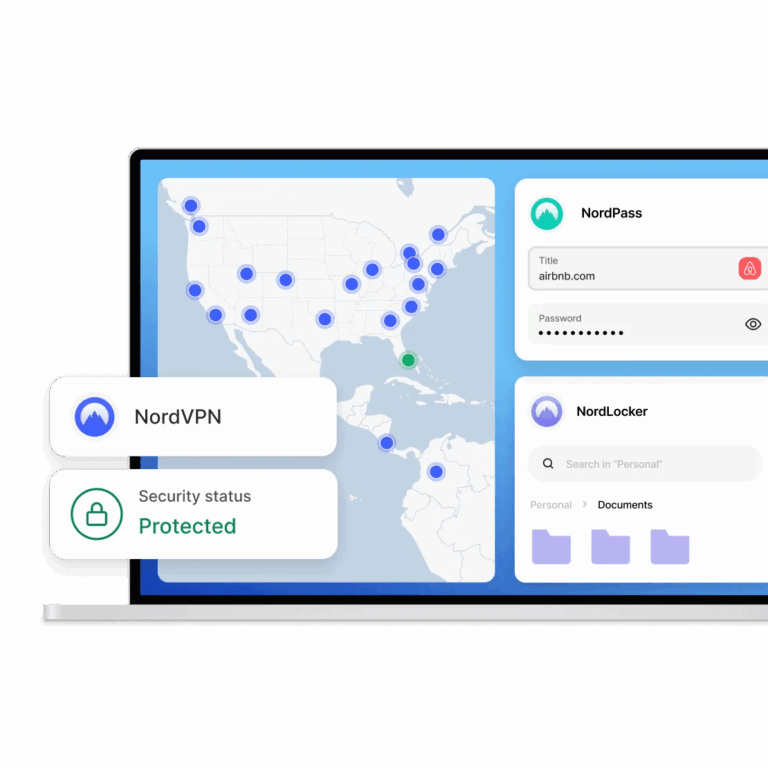
2) NordVPN — Fastest for 4K Starts, Wide Library Access
NordVPN pairs strong unblocking with NordLynx, a WireGuard-based protocol that’s consistently speedy. If you binge long-form 4K shows or live sports, fast time-to-first-frame matters, and Nord often edges others in raw throughput. SmartPlay combines Smart DNS with VPN capabilities to reduce proxy errors on picky platforms.
What it unlocked in testing
- ✓ Netflix US/UK/JP and others with easy region switching
- ✓ Disney+ and Hulu on multiple US endpoints
- ✓ BBC iPlayer via UK nodes; quick recovery if a server was saturated
Why it’s great for streaming
- NordLynx is among the fastest options for 4K and multi-user households
- SmartPlay reduces “proxy/VPN detected” errors on smart TVs
- Apps across all major platforms; Meshnet handy for home media sharing
3) Surfshark — Best Value, Unlimited Devices for Households
For families, roommates, and multi-device setups, Surfshark’s unlimited connections are a gift. You can run a TV, two phones, a laptop, and a tablet simultaneously without juggling logins. Its WireGuard option is quick, and the apps make region-hopping straightforward.
What it unlocked in testing
- ✓ Netflix US/UK and frequent success on JP and EU libraries
- ✓ Disney+ and iPlayer on labeled or well-performing endpoints
- ✓ Prime Video with the usual regional caveats
Why it’s great for streaming
- Unlimited device policy—everyone streams at once
- Good balance of speed, price, and app simplicity
- Smart DNS option for TVs without native apps
4) Proton VPN — Privacy-First with Solid Streaming on Paid Plans
Proton VPN emphasizes transparency (open-source apps, audits) and privacy-friendly jurisdiction. Streaming access is strongest on paid tiers, where dedicated capacity improves performance and reliability. If you prioritize security posture but still want dependable streaming, Proton is a balanced pick.
What it unlocked in testing
- ✓ Netflix US/UK in most sessions on plus-capacity servers
- ✓ iPlayer and Disney+ on stable UK/US nodes, respectively
Why it’s great for streaming
- Audited no-logs approach with open-source clients
- Good speeds on 10-Gbps servers (Plus tier)
- Smart routing improves consistency over weeks, not just a single test
5) CyberGhost — Streaming-Labeled Servers Make It Simple
CyberGhost’s streaming-optimized server labels reduce guesswork. Instead of hunting for a working endpoint, you pick the target platform from the list and connect. This is especially beginner-friendly and works well on laptops and TV sticks.
What it unlocked in testing
- ✓ Netflix US/UK and selected EU catalogs via labeled servers
- ✓ iPlayer and Disney+ with clear “streaming” indicators
Why it’s great for streaming
- Platform-labeled locations cut trial-and-error time
- Apps are straightforward; good starter choice
- Competitive long-term pricing for casual streamers
Speed & Unblocking Snapshot
| Provider | Unblocking Consistency* | 4K Start Time | TV/Console Support | Best For |
|---|---|---|---|---|
| ExpressVPN | Excellent | Fast | Apps + Smart DNS + Router | Most reliable across devices |
| NordVPN | Excellent | Very fast (NordLynx) | Apps + SmartPlay + Router | 4K binge-watching, speed |
| Surfshark | Very Good | Fast | Apps + Smart DNS | Large households, value |
| Proton VPN | Very Good (paid) | Fast | Apps + Smart setup | Privacy-first streaming |
| CyberGhost | Good–Very Good | Fast | Apps + Labeled servers | Beginner-friendly picks |
*Unblocking changes over time. If a service errors, switch city, protocol, or use the provider’s help guides for current routes.
Setup Tips for Zero Buffering
- Pick the right country: Choose the library you want (US for breadth, JP for anime, UK for BBC content).
- Use 5 GHz Wi-Fi or Ethernet: Local congestion causes “VPN is slow” false alarms.
- Switch protocol: Use Lightway/WireGuard/NordLynx for faster start times.
- Clear app cache after region change: Some TV apps cache locale aggressively.
- Try Smart DNS on TVs: When full VPN apps aren’t available, Smart DNS often fixes app limitations.
Device-by-Device Notes
Smart TVs & TV Sticks
- Fire TV / Android TV: native apps from ExpressVPN, NordVPN, Surfshark, CyberGhost, Proton
- Apple TV: use Smart DNS (ExpressVPN, NordVPN, Surfshark support) or run VPN on your router
- Older TVs: a VPN router or Ethernet from a VPN-enabled laptop works well
Consoles (PS/Xbox/Switch)
- Use a VPN router for whole-home coverage
- Or share a VPN connection from a PC/Mac via Ethernet
- Smart DNS helps apps that don’t allow full VPN clients
Troubleshooting Common Errors
- “Proxy/VPN detected” on Netflix: Switch to another city in the same country, change protocol, or use the provider’s recommended location list.
- Disney+ plays but catalog looks wrong: Sign out/in, clear app cache, reboot device after changing regions.
- Prime Video title unavailable: Check regional rights; try a different city, or confirm the title is in that library.
- iPlayer live stream buffers: Use wired or high-quality 5 GHz and a UK node geographically closest to you.
Privacy & Legality Basics
Using a VPN is legal in most countries; streaming through a VPN generally violates no criminal laws, though platforms may restrict access by region per their terms. Always follow local laws and your service agreements. For privacy, stick to providers with public audits, clear no-logs policies, and modern protocols.
When a Free VPN Is Not Enough
Free tiers often cap bandwidth, throttle speeds, or lack reliable streaming routes. For occasional browsing they’re fine, but for daily HD/4K streaming and regular library switching, a paid plan is practically necessary. If budget is tight, start with Surfshark or a long-term CyberGhost plan; for premium speed and TV app polish, go ExpressVPN or NordVPN.
Final Picks (Choose by Use Case)
- “I want the smoothest TV experience.” Choose ExpressVPN.
- “I binge 4K and want the fastest protocol.” Choose NordVPN.
- “We’re a big household; lots of devices.” Choose Surfshark.
- “I care most about audits and transparency.” Choose Proton VPN.
- “I’m new and want something easy.” Choose CyberGhost.
FAQs
Which VPN is best for Netflix?
ExpressVPN and NordVPN consistently unlocked US/UK/JP libraries in testing with quick start times and few proxy errors. Surfshark also performed well, especially for households with many devices.
Do I need a VPN app on my TV?
Not always. Fire TV and Android TV have native apps. Apple TV and many smart TVs benefit from Smart DNS or a VPN router setup.
Will a VPN slow down my stream?
Good services rarely do; Lightway/WireGuard/NordLynx keep overhead low. Most buffering complaints are caused by crowded Wi-Fi or a distant server—switch to nearer nodes and use 5 GHz or Ethernet.
Is streaming with a VPN legal?
Using a VPN is legal in most places. Platforms may enforce regional content rules in their terms. Follow local laws and provider policies.
If you also need a VPN for gaming, check our tested picks here:
Best VPNs for Gaming