Unblock Streaming: How to Unblock Geo-restricted Content
Access streaming platforms and websites not available in your region — with fast setup, minimal errors, and safe browsing practices.
Why content is blocked by region
Studios sell viewing rights country by country. Platforms enforce those contracts by checking your location and limiting libraries per region. That is why Netflix US, Disney+, Hulu, or BBC iPlayer show different catalogs depending on where you connect from.

How platforms detect your location
IP address
Primary signal. Your IP reveals country/city via public databases.
Cookies & app data
Saved sessions and app caches can “stick” you to a region until cleared.
DNS
Requests sent to your ISP’s DNS can disclose location to services.
Device signals
GPS on mobile, browser locale, and payment country sometimes influence catalogs.
To unblock, you must change the IP signal reliably and reduce other “leaks” (cookies, DNS, app cache).
Best ways to unblock geo-restricted streaming
1) VPN (most reliable overall)
A reputable VPN assigns you an IP from the target country and encrypts traffic so public Wi-Fi or ISPs cannot interfere. Good providers refresh IPs and run streaming-optimized servers to reduce “proxy detected” errors.
Compare more providers on our curated VPN tools page.
2) Smart DNS (speedy for TVs/consoles)
Smart DNS reroutes only DNS traffic to appear in the required region. It is fast and great for devices without native VPN apps, but it does not encrypt data. Use it when you value speed over privacy.
3) Proxy servers (limited)
Simple proxies are easily blocked, often slow, and provide no encryption. They are not recommended for premium platforms.
Step-by-step: unblocking a platform
- Choose a provider with proven streaming support from our /vpn-tools page.
- Install the app on phone, laptop, smart TV (or your router if the TV lacks a VPN app).
- Connect to a server in the target country (e.g., US for Netflix US, UK for BBC iPlayer).
- Open a private/incognito window, sign in to the platform, and test a show.
- If blocked, switch to another city server or protocol (e.g., WireGuard ↔ OpenVPN), then retry.
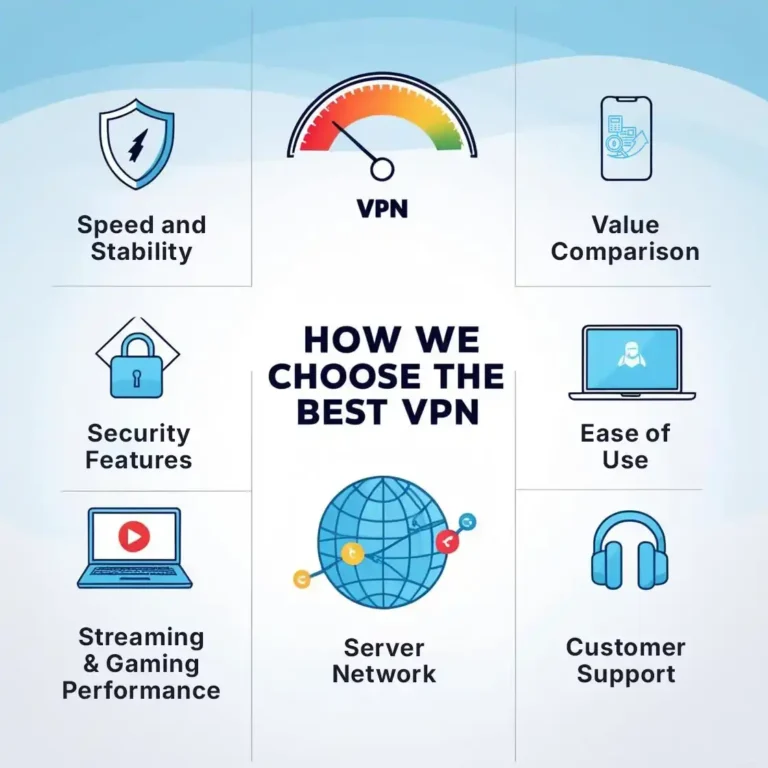
What to look for in a streaming-friendly VPN
- Consistent access to Netflix, Disney+, Prime Video, Hulu, BBC iPlayer.
- High throughput and low evening latency for 4K playback.
- Multiple cities per country and regular IP refresh.
- Apps for Android, iOS, Windows, macOS, Fire TV, and routers.
- 24/7 support that can suggest a currently working location.
Device setups that work well
- Mobiles & laptops: Install the VPN app and connect directly.
- Smart TVs & consoles: Use Smart DNS or run the VPN on your home router to cover devices without VPN apps.
- Travel/hotel use: A mini travel router pre-configured with VPN keeps all devices on one stable region.
Troubleshooting common streaming errors
- “Proxy/VPN detected” or Netflix m7111-5059: Switch to another server in the same country, clear cookies, or try a different protocol. If the app still fails, use the web browser in a private window.
- Wrong library shows up: Sign out, force-close the app, reconnect the VPN, then sign in again.
- Buffering: Pick a geographically closer server, choose a lower-congestion city, or use Ethernet on TV devices.
- Smart TV lacks VPN: Configure Smart DNS or set the VPN on your router; then reboot the TV.
Speed tips without losing reliability
- Prefer wired or 5 GHz Wi-Fi for TVs and consoles.
- Try the provider’s “streaming” or “obfuscated” servers during peak hours.
- Use split tunneling to exclude heavy non-streaming apps on the same device.
- Test multiple nearby cities; the “closest” is not always the least congested.
Legal and platform policy notes
Using a VPN is legal in most countries. Services may restrict regional catalogs per their Terms, and they may block some VPN IPs. Follow local laws and the platform’s terms. For official platform guidance, see resources like the Netflix Help Center.
Privacy and safety while unblocking
Unblocking is smoother when your privacy posture is strong. A VPN encrypts traffic (especially useful on café/airport Wi-Fi). Combine it with private windows and periodic cookie clearing to avoid location “stickiness.” If you only need speed on a TV, Smart DNS is fine, but keep a VPN on phones/laptops for secure browsing.
Quick checklist
- Pick a streaming-capable provider → compare on /vpn-tools.
- Install on the correct device or router.
- Connect to the library’s country and clear cookies.
- If blocked, change server/protocol and retry in a private window.
- For TVs/consoles, use Smart DNS or router-level VPN.
Get started
Choose a trustworthy provider, set the correct region, and follow the troubleshooting steps above. For vetted options, start with one of these:
Then compare more on our in-depth VPN tools directory.
Part 2 — Advanced Troubleshooting & Device Setups
Some platforms block outdated IP ranges or cached location data. These steps fix the most common issues across Netflix, Disney+, Hulu, Prime Video, BBC iPlayer, and regional sports platforms.
Fixing streaming errors (m7111-5059, proxy errors, black screens)
- Switch servers inside the same country: If US-New York fails, try US-Los Angeles or US-Phoenix.
- Clear cookies or use Incognito/Private Window: Cached regional data often overrides the new VPN IP.
- Restart the streaming app (especially Netflix/Disney+ on TV or mobile).
- Change VPN protocol: WireGuard (fast), OpenVPN TCP (stable), OpenVPN UDP (low-latency).
- Try the web browser instead of the app if the app is aggressively blocking VPN ranges.
Smart DNS for TVs and consoles
Many smart TVs, PlayStation, and Xbox do not support native VPN apps. Smart DNS is ideal when you want smooth streaming without full encryption.
- Works on Smart TVs, consoles, and some set-top boxes.
- Fast — almost no speed loss.
- Does not encrypt traffic, so use a VPN on phones/laptops for secure browsing.
Router-level VPN for entire home
If you want every device (TVs, consoles, phones, tablets) to appear from the same region, install the VPN on your router.
- Great for families or shared homes.
- Works even on devices without a VPN app.
- Switching server = whole home changes region.
Hotel Wi-Fi and travel use
Hotels often restrict streaming, throttle speeds, or block media sites. A VPN tunnel bypasses those restrictions and hides your traffic.
- Connect VPN before opening streaming apps.
- If hotel blocks VPN traffic, try “obfuscated” or “stealth” servers.
- Use wired/Ethernet where possible for TVs or laptops.
Platform-specific notes
- Netflix: If you see m7111-5059, switch US cities, clear cookies, or try browser instead of app.
- Disney+ & Hulu: Work best through a US server with fresh IPs; if black screen, restart app after VPN connects.
- BBC iPlayer: Choose a UK server, then open in private window; sometimes app requires location permission disabled.
Speed tips for smooth 4K
- Prefer 5 GHz Wi-Fi or Ethernet.
- Try a different city with lower evening congestion.
- Split tunneling to exclude heavy background apps.
- Use Smart DNS for TVs if encryption is not required.
Easy picks for streaming reliability
These providers maintain large IP pools and streaming-optimized servers.
Or compare all options on our VPN tools page.
Mini FAQ
- Is this legal? VPN use is legal in most countries. Platforms may block some IPs per their Terms of Service.
- Why does my TV show the old region? TVs cache DNS — reboot it, re-connect VPN/SmartDNS, then reopen the app.
- Can free VPNs unblock? Rarely. Most free IPs are blocked instantly and speed is too low for HD or 4K.
Final checklist
- Install VPN or SmartDNS on correct device.
- Connect to target country before opening app.
- Use private window and clear cookies if stuck.
- Switch servers/protocols when errors appear.
- For TVs/consoles: SmartDNS or router-level VPN.
With these fixes, most users can unlock US, UK, or international libraries smoothly. If a platform blocks one server, try another — streaming-friendly providers rotate fresh IPs constantly to stay ahead.
Part 3 — Multi-Device Setup & Home Optimization
Many families or shared apartments want every device to access the same region without individually switching servers. These setups make the experience smooth, fast, and reliable.
Home router with VPN
Installing the VPN on your router makes everything in the house appear from one country — TVs, laptops, PlayStation, Xbox, tablets, guests’ phones, all through a single connection.
- Great for Smart TVs and consoles that lack VPN apps.
- Only one login needed — the router handles the tunnel.
- Restart router to switch between regions quickly.
Travel router for hotels & Airbnb
A pocket-sized travel router solves two problems: shared hotel Wi-Fi and devices that cannot log into captive portals.
- Login once → router shares Wi-Fi to your devices.
- VPN inside the router bypasses hotel restrictions.
- Ideal for Fire Stick, Apple TV, or portable consoles.
Using smartphones as hotspot
If hotel or public Wi-Fi blocks streaming sites, connect VPN on your phone, then share hotspot to your laptop or TV stick. The VPN tunnel protects the stream and hides the region.
Account security while unblocking
- Use strong passwords and enable 2FA on streaming accounts.
- Avoid logging in on shared hotel computers or smart TVs.
- When using a hotel TV, log in with a temporary profile and sign out before checkout.
When Smart DNS is better than VPN
- If you only care about unblocking, not encryption.
- For TVs that lose speed through a VPN tunnel.
- When you need 4K ultra-HD and minimal latency.
When VPN is better than Smart DNS
- Public Wi-Fi, hotels, airports, or shared networks.
- Protecting passwords, sessions, and login data from snooping.
- Hiding browsing habits from ISPs and advertisers.
Quick region-switch routine
- Connect VPN to the correct country.
- Open a private/incognito window.
- Log in to the streaming platform.
- If wrong catalog shows up → clear cookies or restart the app.
Simple picks for multi-device homes
Look for providers with router apps, Smart DNS, and strong streaming support. One solid option:
Or compare router-compatible options on our VPN tools page.
Final takeaway
VPN or Smart DNS will unlock most streaming platforms, and with router setups or travel routers you can make every device feel like it is at home, even when you are traveling. Combined with Private Window and simple troubleshooting, you can switch regions and stream any library safely and smoothly.