In the current digital landscape, Instagram has transformed from a simple photo-sharing app into a critical asset for businesses, influencers, and personal brands. However, as the platform’s value has risen, so has the sophistication of the threats targeting it. We are no longer in the era of poorly spelled emails; we are in the era of AI-driven social engineering. To protect your digital legacy, you need a professional-grade security framework.
The New Threat: AI-Driven Phishing and Qrishing
In 2026, phishing has evolved. Hackers now use Generative AI to create hyper-personalized lures that mimic your friends’ writing styles or official support alerts with 100% accuracy.
- Deepfake Social Engineering: Attackers can now clone voices and images to create fake “Emergency” videos in your DMs, asking you to “verify” your account via a malicious link.
- Qrishing (QR Code Phishing): Scammers are now sending QR codes via DMs, promising “Brand Deals” or “Account Verification.” Once scanned, these codes lead to sophisticated portals that steal your live session tokens, bypassing your password entirely.
- The Copyright Trap: A classic tactic made perfect by AI. You receive a message claiming a copyright violation. The link provided looks official, and in 2026, these fake sites are visually indistinguishable from the real Instagram interface.
Hardening the App: The Zero-Trust Instagram Protocol
If you have a high-value account, you must treat it like a high-security vault. Relying on just a password is a relic of the past.
The Authentication Hierarchy
Not all Two-Factor Authentication (2FA) is created equal. SMS-based 2FA is now considered a significant vulnerability due to the rise in SIM Swapping.
- Primary Choice: Authentication Apps. These generate time-based codes locally on your device, ensuring they cannot be intercepted over the cellular network.
- The Pro Choice: Physical Security Keys. Using a hardware key is the only way to be virtually immune to phishing. Since the key is physical, a hacker in another country cannot “type” it in or steal it digitally.
Internal Security Audits
Within your settings, you should perform these three actions immediately:
- Login Activity Check: Review every device. If you see a login from a city you haven’t visited, terminate it. Modern bots often “ghost” on your account for weeks, observing your patterns before taking action.
- Official Communication Tab: Never trust an email in your primary inbox. Only trust communications listed in the “Emails from Instagram” tab within the app’s security settings.
- Third-Party App Cleanup: We often link external trackers or editors. These apps are a primary source of data leaks. Revoke access to any app you haven’t used recently.
The VPN Shield: Why Network Security is Your Secret Weapon
A common question arises: Why do I need a VPN for a social media app? The answer lies in Data Interception.
When you log into Instagram on public Wi-Fi—at an airport, a cafe, or a hotel—you are exposing your “Digital Handshake.” A hacker on the same network can perform a Man-in-the-Middle attack to capture your login credentials or session cookies as they travel through the air.
How a VPN Secures Your Social Media:
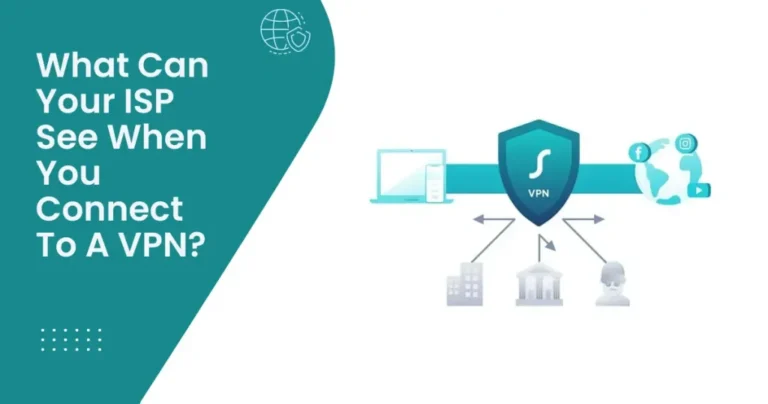
- Bank-Grade Encryption: A VPN wraps your traffic in an encrypted tunnel. Even if a hacker intercepts the data, it appears as unreadable code.
- IP Masking: Hackers often use your IP address to launch Brute Force attacks or to find your physical location. A VPN replaces your IP with a secure server address.
- Threat Protection: Top-tier VPNs now come with built-in filtering. If you accidentally click a phishing link, the VPN can block the connection at the network level before the malicious page even loads on your browser.
Recovering a Compromised Account: The 2026 Reality
If the worst happens and you lose access, speed is your only ally. Modern hackers move from initial access to a full account wipe in under one hour.
- The Video Selfie Recovery: The platform now uses AI-powered video selfies to verify identity. Ensure you have recent, clear photos of yourself on your profile, or this automated system may fail to recognize you.
- Account Suggestions: Keep your account suggestions active. This helps you and your friends identify if a hacker has changed your username, as your profile will still appear in their discovery feeds.
- Trusted Contacts: Establish a network of trusted friends today. If you get locked out, the platform can send recovery codes to these individuals to verify your identity.
Summary Checklist for Security-First Users
| Security Layer | Action Required | Level of Protection |
| Authentication | Move from SMS to Authenticator App or Physical Key. | EXTREME |
| Network | Keep a Premium VPN active 24/7 on mobile and desktop. | HIGH |
| Verification | Only trust emails found in the internal Security Settings tab. | HIGH |
| Device Hygiene | Audit Login Activity to boot out unfamiliar devices weekly. | MEDIUM |
Specialist Verdict
In 2026, “I have a strong password” is the digital equivalent of leaving your front door open but hiding the key under a mat. Hackers are smarter, but with proper encryption and Zero-Trust settings, you become a “Hard Target” that most criminals will simply avoid.