We’ve all been there: you click “Connect,” the little shield icon turns green, and you assume you’re invisible. But in the 2026 digital landscape, a green icon is no longer enough. With the rise of AI-driven tracking and “Harvest Now, Decrypt Later” threats, a standard VPN connection can sometimes be a false sense of security.1
I’ve spent the last decade testing every major encryption protocol, and I’ve seen how easy it is for a “secure” connection to leak your data. This guide is your shortcut. No jargon, no fluff—just the five essential checks you need to perform right now to ensure your privacy is ironclad.
1. The “Quantum” Reality Check
The biggest shift in 2026 is the emergence of Post-Quantum Cryptography (PQC). Hackers are currently stealing encrypted data and storing it, waiting for quantum computers to become powerful enough to crack it in seconds. This is known as the “Harvest Now, Decrypt Later” attack.2
When I look at a VPN today, the first thing I check is the protocol. If you aren’t using a protocol like NordLynx or Lightway with post-quantum protections enabled, your data is essentially a time bomb.
- The Test: Go into your VPN settings. If your protocol is set to “Automatic” or “OpenVPN,” manually switch it to the newest available PQC-enabled protocol. If your provider doesn’t offer one yet, it might be time to switch.
2. Kill Switch: The “Always-On” Rule
I cannot tell you how many people I see browsing with a VPN that has the Kill Switch turned off. If your Wi-Fi flickers for even one second, your computer will automatically reconnect to your ISP’s standard line, exposing your real IP address to every site you are visiting.
- Expert Tip: Don’t just turn on the “Standard” kill switch. In 2026, look for the “Permanent” or “System-Wide” kill switch. This prevents your device from connecting to the internet at all unless the VPN is active. This is the only way to ensure 100% leak protection.
3. The 60-Second Leak Test
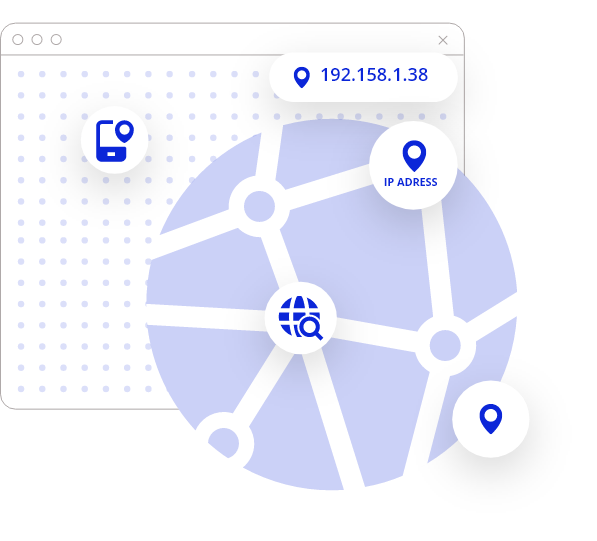
A VPN can be “connected” but still leaking your DNS (Domain Name System) requests.3 This means your ISP can still see every website you visit, even if the content of your browsing is encrypted.
How to verify your safety right now:
- Visit a site like
browserleaks.comordnsleaktest.com.4 - Look at the “IP Location” and “DNS Servers.”
- The Goal: If you see your actual city or the name of your local ISP (like Jio, Airtel, or Comcast) anywhere on that page, your VPN is leaking. You need to enable “IPv6 Leak Protection” in your settings immediately.
4. Multi-Hop and Obfuscation: Hiding the “VPN” Signal
In 2026, many websites and streaming services (and even some ISPs) use AI to detect if you are using a VPN. If they see “VPN traffic,” they might throttle your speed or block you entirely.
To stay under the radar, I always recommend enabling Obfuscation (sometimes called “Stealth Mode”). This scrambles your VPN data so it looks like regular HTTPS traffic. For high-stakes privacy, use Double VPN (Multi-Hop).5 This routes your data through two different countries. It slows you down slightly, but it makes it mathematically impossible for anyone to trace the data back to your home.
5. Security Checklist Summary
Use this table as your “Quick Reference” for any VPN you use:
| Feature | Importance | Status |
| Kill Switch | Mandatory | Must be ENABLED |
| Protocol | High | WireGuard or PQC-Enabled |
| DNS Leak Protection | Critical | Must pass a Leak Test |
| Logging Policy | Mandatory | Audited No-Logs Only |
| Jurisdiction | High | Outside 14-Eyes Regions |
Frequently Asked Questions
Is a free VPN safe in 2026?
As the saying goes, if you aren’t paying for the product, you are the product. Most free VPNs in 2026 make money by selling your browsing habits to AI training companies. I always recommend a “Freemium” model like ProtonVPN if you must go free, but for real security, a paid tier is necessary.
Does a VPN protect me from all hackers?
No. A VPN is a tunnel for your data, not an antivirus.6 It won’t stop you from downloading a malicious file or falling for a phishing scam.7 Think of a VPN as your “seatbelt”—it keeps you safe in the car, but you still shouldn’t drive off a cliff.
Should I keep my VPN on all the time?
Yes. With the current level of ISP tracking and public Wi-Fi risks, “Always-On” is the only safe setting. Modern protocols like WireGuard are so efficient they won’t even drain your battery.
Final Thoughts: Privacy is a Habit, Not a Setting
Building a secure digital life isn’t about a one-time setup; it’s about choosing the right tools and checking them regularly. If you follow this 5-minute guide once a month, you will be ahead of 99% of internet users in terms of privacy. Your data is your most valuable asset—don’t leave the door unlocked.